Yes, I must be really not to bright, I made a simple site with Mobirise static website builder, just changed some text and removed some parts and published to my hard drive. NOTHING!
Now, I can build in Dreamweaver, Arachnophillia, Front Page, and get some kind of result, but not with your software. Any ideas, other than Control, Alt, Delete?
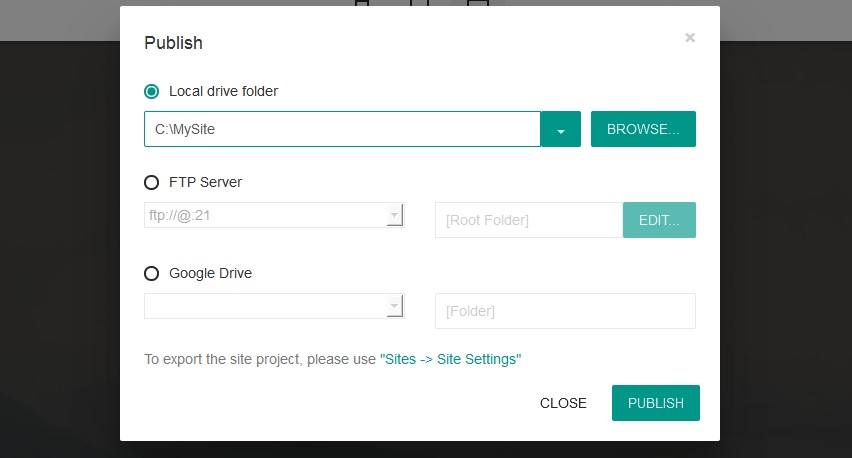
Our app should create a folder with your project and the generated site.
Related Topics
- Footer of free offline website builder software 4 theme
- Adding blog to freeware website builder software
- Restore project in open source drag and drop website builder software
- Wysiwyg website builder free: questions about Meta description
- How to turn off the references of website builder with html?
I have tried this unsuccessfully, now, for over 5 days and, respectfully, a waste of time. Publish and it goes nowhere, view in your web browser and that does not work, Try a simple adding a live TOC and put it into the top part of the window and you are not allowed, remove the table and try to create a new table, not allowed.
Hi, I’m using Mobirise 2.8.1 on Windows Vista and with my first page it would crash every few hours – the message from Windows being “static website builder has stopped working, Windows is checking for a solution ” followed by the “debug or close” dialog. I’ve created a second page in my site and I’m having the same problem after only a few edits, in other words it’s continually crashing within a minute of using it.
Thanks, FYI I've since installed on a Win7 PC and transferred the site and so far it hasn't crashed so appears much more stable.
On the recent release of 2.8 you can't build a new site when in the site menu, please fix this.
Now it is fixed.
I have completed a beautiful 40 page site using Mobrise and am ready to launch. However, I just discovered that when I created the file name for my home (master) page I forgot to add the .com extension to it. I went back and added .com to the file name but now when I preview the site in my browser, the browser can no longer find the homepage. Seems crazy that if I change my home page’s file name it disappears in the browser. Can anything be done about this problem? I have spent days and days creating this site. I can’t scrap the whole project just because I need to change a file name. Please help.
How did you add .com to your home page? Please note that all the page should have an extension (.html, for example). static website builder is a sitebuilder only we don't offer a hosting service and we can't link your site to a certain domain name.
I've downloaded mobirise builder and created a goodlooking homepage, which i would like to put online. After publishing a test site on the local HD, it got me a map called assets, with a lot of .js extension files and the used images separatly in a sub folders.
However i am not able to open any of the files with a browser, its like i am missing an index.html. Am i doing something wrong? In other words; how can i publish the static website builder build homepage online?
I would very much like your support on this beautiful product/my question.....
You can publish your site to a Google Drive or upload the site to your server.
I can not publish to FTP (or SFTP) using the version above :
I press publish
the progress windows opens saying "Initializing" "Initialization, please wait"
it stays for hours in that state
nothing happens and I have to cancel the publication